Showing posts with label app. Show all posts

Tuesday, July 15, 2014

how Add Custom Google Now Commands with Commandr App +hardware control

Recently Google updated the Google search with “OK Google” hotword detection on any screen. With this feature you can easily use Google now commands from any screen of the android. In Google now you can use lots of search commands and do lots of thing easily, but there are still a tons of things that it doesn’t understands/performs, like turn off Wifi, Bluetooth etc. But now you can use all this commands easily on your device with the help of Commandr App. The app is free to download and available on the Google play store and work on almost any android device. With the help of this free app, you can toggle Wi-Fi, GPS, the camera LED light, and just about anything else you want through Tasker integration.

To get started all you hvae to install the application form the google play store and make some changes and you are done. The setup for Commandr is quite easy, and the app walks you through it when first installing the application. Lest take a look how the app works on the Android devices.
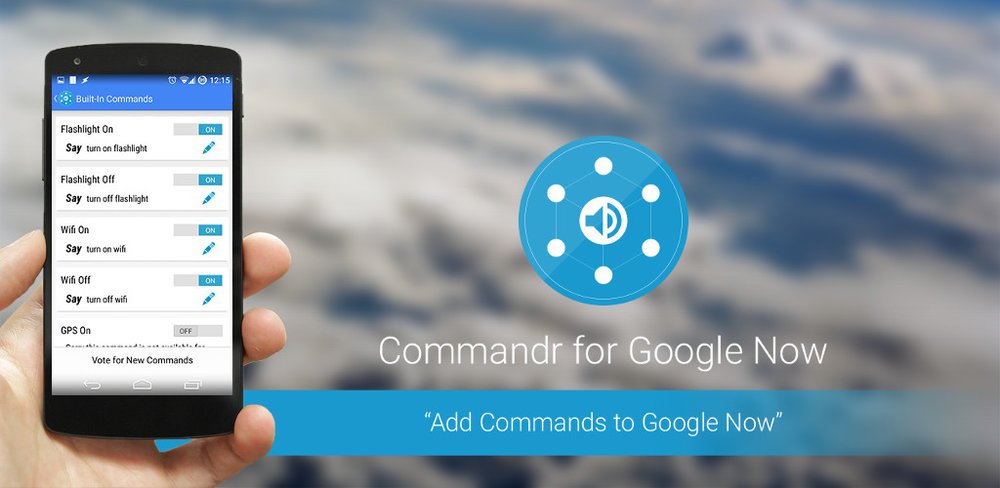
Commandr-Android-App

Set custom commands for Google Now

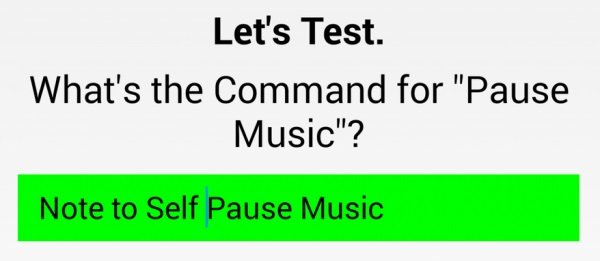
Open the Commandr App on your android and you need to activate the Commandr voice command once by saying ‘OK Google, note to self, turn on flashlight!’’ Once the app is activated you have to type the test command on the app screen.
Test-Commnadr-Commnad
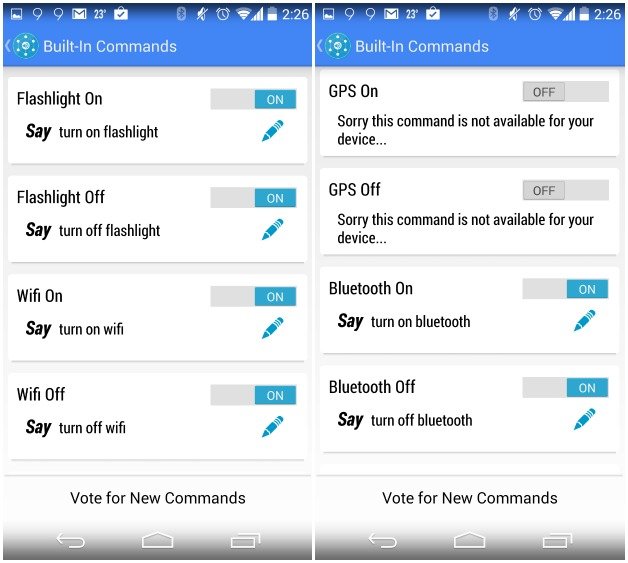
Once the app is activated you can see the list of the commands in settings of the applications like:-
  • turn on/off Wi-Fi
  • turnon/off Bluetooth
  • turn on/off GPS (for some phones)
  • pause music
  • resume music
  • next song
  • previous song
  • note (adds to note-taking app)
  • any Tasker command you can dream of!
commandr

I havetested most of the commands on My Android device and most of them works without any problem. The developer of the app also promised that in future you will see lots of new commands and features in the app.

Download Commandr for Google Now

Monday, July 14, 2014

Eureka Android App - Get Rs.30 Talktime Every Month

Eureka is a mobile advertising android app which gives Rs.30 mobile recharge to its regular users.You have to install and keep this app active for a month to get free talktime.You need android version 2.2 or higher to install this app.This app gives Rs.30 talktime to prepaid users and mobile bill discount to postpaid users.It pays you on every 10th of the month.You will also get Rs.10 bonous talktime for referring a person when he compleates his 30 days.When you unlock your mobile, eureka shows full screen ads, deals etc. only one or two times a day.If you don't like those ads, you don't need to view them just click on later button to skip them.You need internet connection during installation of this app.This app is very lite in size and easy to use.We recommend this app to every android user of india.Follow below steps to activate this app on your android device.


Also read How to Use 2 whatsapp without root!!

Note : Only indian android phone users can get benefits from this app.


Steps To Activate Eureka Android App :

  • First,  Download the app From Here and install Eureka on your android device [ Size - 1.1 MB ].You can also search for this app on your play store by putting eureka in search box.
  • After that launch this app on your mobile device.Then you will see a welcome message on your screen.Just click on OK button to proceed.
  • On the next screen, eureka asks for your mobile number and operator [ Eureka supports almost all mobile operators ].Just put your mobile number and select your mobile operator from the list and click on OK button to proceed.

  • Now eureka will send a activation code on your mobile number that you entered on last step.Just check your message box and put activation code there in blank field and click on I Accept button.


  • After that eureka will show you how it works.Just click on skip button to proceed.
 
  • That's it, now you will get a confirmation message from eureka on your screen 'Congratulation !  eureka is now active on your smartphone.'
 
Note : If you pause this app after activation, you will not rewarded for that full month.So, keep it active to get rewards every month.
We hope this article helps you in activating eureka on your android phone.You will keep earning rewards from eureka as long as this app is installed on your phone.Internet connection is not rquired after one time activation of this app.If you are geting any problem during activation, please share it below in comments and also leave your feedbacks and suggestions about this app...

Friday, July 11, 2014

MiXplorer v4.7.3 ( Best Androidfile manager ever)

MiXplorer is a fast, smooth, beautiful, reliable and
fully-featured file manager with a simple and
intuitive user interface.
This app has no ads, is and will always remain
completely free.

Features

The best way indeed is to explore yourself. But
here's a brief list of essential features:

  • Easily themable with many skins to choose from
and many more to come
  • Tabbed browsing (open new ones with a left
swipe!)
  • Easily create Tasks to multitask Copy, Move, ...
operations
  • Different various View Modes and Sorting Options
in each folder!
  • Customizable bookmarks drawer with essential file
types already categorized

Advanced search functions

Export/Import all preferences and bookmarks.
Opening zip files even in network storage as fast
as possible

All your cloud storage needs accessible from one single app. Choose from 17 providers + clouds
which support webdav like (Yandex.ru, OwnCloud, 4Shared, MyDrive.ch, DriveHQ, CloudMe,
CloudSafe, ...).
Root access for all advanced operations User and System app management with data
backup ability for rooted devices EncFS volumes supported for all storages
File encryption and decryption using aescrypt file format FTP/HTTP Server built in
SAMBA, FTP, SFTP, WEBDAV, BLUETOOTH supported as well
And many more awesome features for you to
explore!

DOWNLOAD FROM HERE


I personally Recomend this app Bcoz i use it Its really very fast ,easy ,Powerfull file manager for android and its way Better than Root Explorer/es file xplorer So now try yourself! 


Wednesday, July 2, 2014

Install CyanogenMod Apps On Any Android without Root

Install CyanogenMod Apps On Your phone without Root


The CyanogenMod aftermarket firmware for Android is easily
among the most popular and celebrated, but unless you’re a
dab hand at flashing custom ROMs, then you may well be
put-off trying it out for yourself. If you’ve long since been a
fan of the interface, or simply just wanted to try CM out
without digging into the guts of your device and potentially
voiding your warranty along the way, a new, Play Store-
based app offers a taster of the Cyanogen experience without
the potential pitfalls of getting stuck en route to more
sophisticated modding.
Flashing custom firmware on a rooted device isn’t all that
difficult, but there’s definitely a learning curve involved in
familiarizing yourself with the various steps, and to some, the
whole idea seems scary and alien. Thanks to CM Apps, a new
release over at the Google Play Store, you can take full
advantage of many CM-based elements and apps without
having to invest the time and effort into getting it running on
your handset.
The CM Apps bundle arrives complete with the CyanogenMod
music player, sound manager and clock widget among others,
and although it’s not quite the same as flashing the CM mod
and trying it out for real, it’s definitely the next best thing.
It also merits saying that CyanogenMod isn’t available to
every single Android user, and if you and your device have
been left out in the cold, CM Apps will enable you to try out
some of the apps and generally get a feel for what it’s like to
use.
You never know, upon testing out CM Apps, you may even be
convinced to either take the plunge and spend some time
researching on how to flash CM on your device, or go out and
find a handset that will allow you to, and given the swathes of
Android users that swear by the work of the CyanogenMod
team, don’t be surprised if you catch the bug after using this
little teaser app.
Grab it right now via the Play Store by checking the direct link
below, and be sure to leave your comments via the usual
channels.


How to Use 

  • Download  Cm apps from the play store
  • install it open then you will see all cyanogenmod apps compatable with your device 
  • Choose the app you wanna install then it will start download the app
  • Now you can enjoy the cyanogenmod apps without changing the ROM or without ROOT :D

Dont Foget to check other posts of  Droid Guru !! 


Copyright @ 2014 Droid Hulk .

Designed by Aaron | Android Hulk

UA-52568879-1